Samsung soundbar hdmi arc not working. After a hectic daily routine, TV is the most common way to make yourself relaxed. From movies to games and Netflix, television comes in the way.
Samsung is one of the reputed brands out there, and no doubt their quality products have a name no one can replace, but some bugs are found in Samsung TVs, and the most common one is the HDMI arc that stops working.
High Definition Media Input ports, known as HDMI, the function is to send high-quality audio and video signals through an HDMI connector cable to the television.
So, when the connection is interrupted, the display turns off, which means no more enjoyment. If you’re having an issue with the HDMI arc, don’t worry.
We will be discussing some common reasons behind this issue and how to solve the problem at your end.
Samsung Soundbar HDMI Arc Not Working
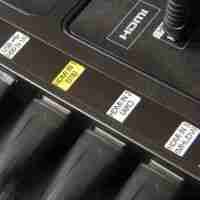
Here are some common issues causing HDMI arc to stop working:
Low Quality HDMI Cable
A low-quality cable is the most common issue causing HDMI cable to stop working. To use ARC on your Samsung TV, you must use a high-quality HDMI cable.
Also, ensure the cable isn’t damaged as the damaged cable can be dangerous.
Audio Format Compatibility Issue
You shouldn’t ignore that all audio formats aren’t compatible with Samsung TV. So, you should inspect the audio format and check whether it’s compatible with a specific model of yours or not.
For this, inspect the TV’s manual and contact customer support if you don’t find it there.
Check your Soundbar
You should check your soundbar if you don’t hear any audio and check whether the HDMI arc is enabled or not. If not, turn it on and test the sound again.
Before testing, you should check whether ARC is turned ON on your Samsung TV. To turn it ON, follow these steps:
- Go to settings.
- Search sound and click it.
- You’ll see the sound output option.
- Select the option HDMI receiver.
Update the TV’s Firmware
If the issue persists, try updating your Samsung TV’s software. Go to Samsung’s official website and search for the TV model there.
See if there is any new update available. If so, download it and follow these steps to install the latest update on the Samsung TV:
- Unzip the firmware files.
- Move them to USB.
- Insert USB in the TV’s slot.
- The firmware install will start automatically.
- After it’s completed, reboot your TV.
Note: Don’t turn off your TV or remove the USB during installation; otherwise, it will cause a firmware error.
Check If Audio Cables Are Working
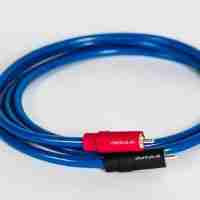
Audio cables are designed to transmit audio signals. If the audio cables have an issue, the HDMI ARC will not work.
So, you have to inspect whether the audio cables have any cracks. If you don’t, examine if the cables are working fine internally or not. Use can use a multimeter to check the cables.
Reset the Soundbar
If all else fails to work, try resetting the soundbar. Sometimes, incorrect settings cause issues, and a simple reset is good.
So, to reset the soundbar, follow these steps:
- Disconnect the soundbar from the TV.
- Press and hold the power button for 5-7 seconds.
- You’ll set the ‘INIT OK’ option on the display.
- The soundbar will restart itself, which means it has reset now.
Conclusion
Smart TVs are a new cool, and common way of entertainment. A lot of customers complained about the HDMI arc not working. Mostly it’s because of compatibility issues, or the HDMI cables aren’t powerful enough for the Samsung TV.
As we have discussed mostly occurring reasons behind your HDMI arc issue. We hope you have solved the problem at your end accordingly. Thank you for your time!
Related Guides