
TCL TV wont turn on. TCL is one of the most affordable brands for buying a new television. If you do decide to purchase a TCL TV, you’re going to have a good time without having to spend too much cash.
However, there is some bad news: sometimes they will stop working. This usually happens after years of using them.
But that doesn’t mean you shouldn’t prepare for it by taking care of the TV and keeping an eye on any red flags that could indicate something might break down sooner than later.
If your TCL TV is not turning on, check if all cords are plugged in correctly. Once confirmed that all cables are connected and in their proper place, unplug the TV and press and hold the power button for 2 minutes.
Then plug it back in. If this doesn’t work, look behind the TV and find the reset button – this may be labeled as “RESET” or “POWER OFF” Press it down with a paperclip or something similar.
TCL TV Wont Turn ON
TCL TVs are known for their durability and lasting up to ten years if used regularly. However, they aren’t perfect and may malfunction over time.
Before you decide to buy a new TV, look at your TCL product’s warranty information first to see what kind of coverage you’re given and whether or not it can still be used if something were to go wrong.
Here’s are the things that you should do if your TCL TV is not turning on:
1. Check Out Cord Connections
When your TCL TV hiccups, the first thing you should do is check the cord connecting it to the electrical source.
The most common elements behind a power issue about your TCL TV are either a faulty cord or a connection that’s not adequately secured.
Sometimes I like to disconnect every cable connected, one by one, and then reconnect it – just this reassures me that everything is connected as it should be.
2. Power Cycle your TV
When you’re having issues with your TV, the first thing you want to do is turn it off. You shouldn’t have to give it a used car test drive – turn it off.
Next, unplug the TV from its place and leave it unplugged for two full days. If there is still no progress when you try turning on your TV after two days of its break from life, then you should consider getting it serviced.
3. Factory Reset your TV
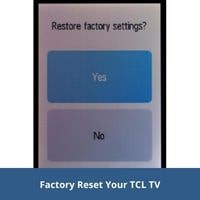
TCL TVs have lights at the bottom. This light indicates whether the TV is on or off when properly connected. It can also show you a malfunction or other related issues with the TV.
If the status light blinks when you press the On button, but the TV doesn’t turn on, you should follow these steps:
- First of all, connect your TV.
- Find the reset button on the backside of your TV.
- Then press the reset button.
- Now turn on your TV.
- If the problem still exists, then repeat the above process.
Why is your TCL TV not turning on?
Following are some possible reasons:
- Remote Battery not working.
- Remote connection lost with TV.
- Power supply disconnected with your TV.
- Some Hardware issues.
Conclusion
I hope this article helped you get rid of your problem with TCL TV. If the issue is still not resolved, you can consult with a TV expert or buy a brand new one.
Thank you for your time. Have a nice day!
Related Post